The service-first booking approach is ideal for businesses whose primary focus is on services provided by personnel, such as barbershops, salons, therapists, consultants, or other appointment-driven services. This guide helps you effectively manage your service bookings and streamline your customer interactions.
In the service-first approach, you primarily define and manage the services your business offers, while linking resources (staff, chairs, rooms) to those services afterward. This is especially beneficial for appointment-driven businesses, where the emphasis is on service duration, pricing, and personnel availability.
Barbershops and hair salons
Massage therapists and wellness providers
Consulting firms
Personal trainers and coaches
The fastest way to get started is with the AI Wizard.
Just describe your service offerings in a short prompt (e.g., “Barbershop with 3 chairs offering haircuts, beard trims, and shampoo as an add-on”).
The wizard will automatically generate:
Booking options
Resources (e.g. chairs or stylists)
Add-ons
Schedules
Pricing
Policies
It also considers your existing setup to avoid duplication.
Go to the Booking Services section in your dashboard
Click "Create Booking Option"
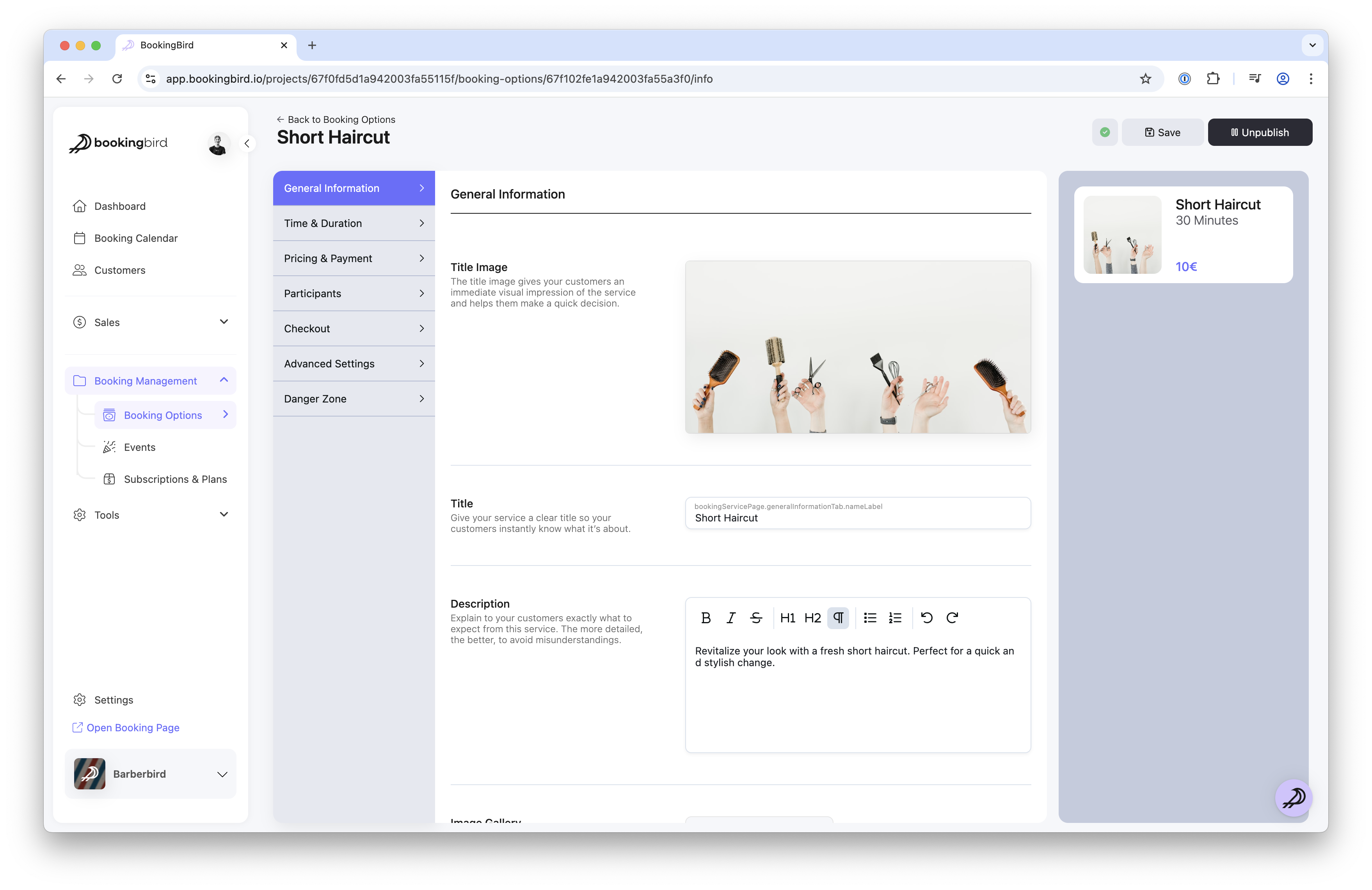
Enter a clear name (e.g., Men’s Haircut, Massage Therapy) and choose an appropriate category
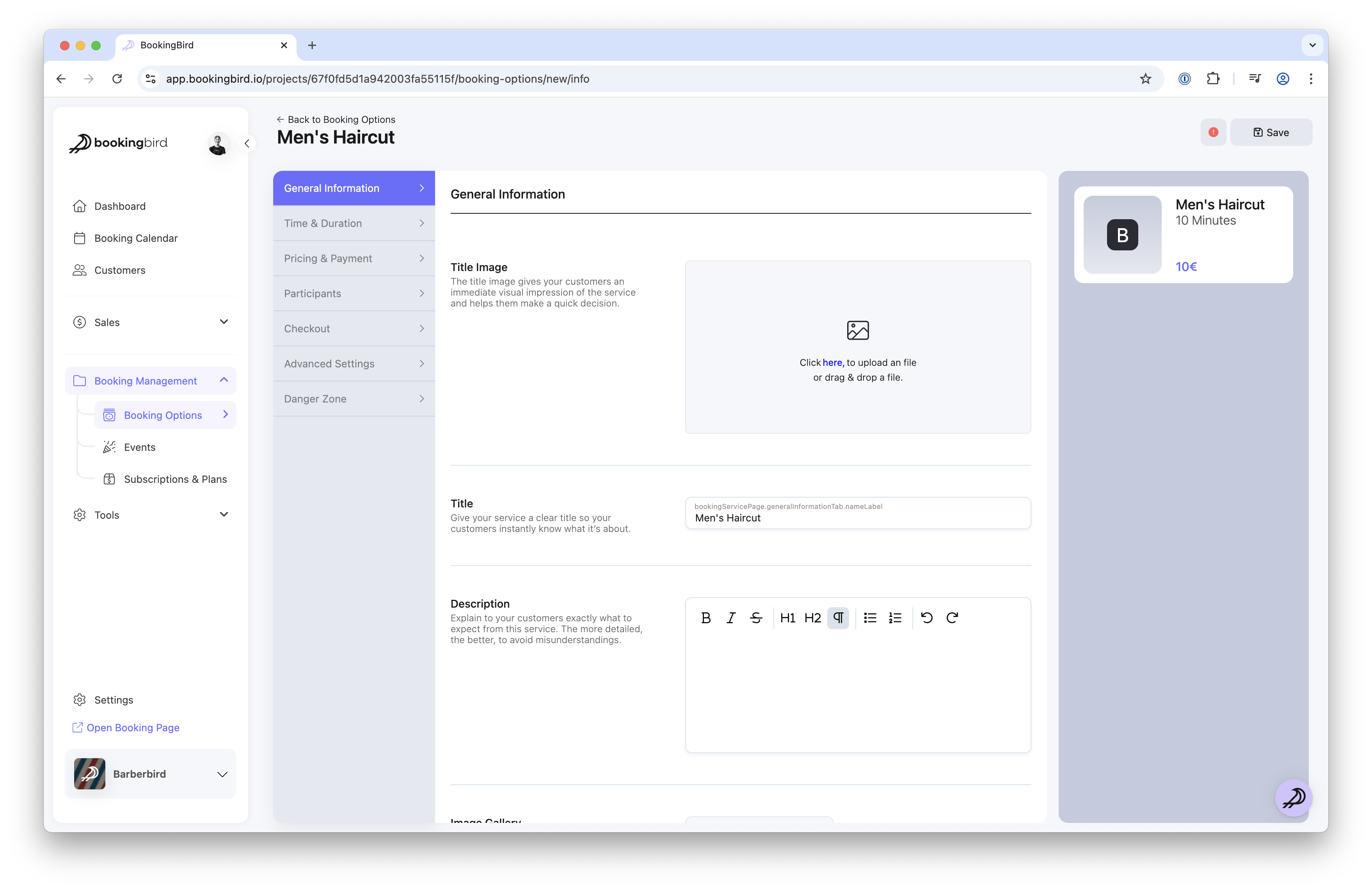
Select a duration strategy (typically fixed duration)
Set the duration (e.g., 30 minutes for a haircut)
Add your pricing, including optional group pricing or special rates (e.g., for members or students)
Assign resources like chairs, stylists, or therapy rooms to your service
Define their availability so the service can only be booked when the resource is free
Set up add-ons like premium products or optional upgrades
Define cancellation and refund policies
Configure automated reminders via email and SMS
Utilize the calendar view in your dashboard for clear visibility of scheduled appointments.
Easily adjust appointments or availability directly from the calendar.
Track customer preferences and booking history to personalize their experience.
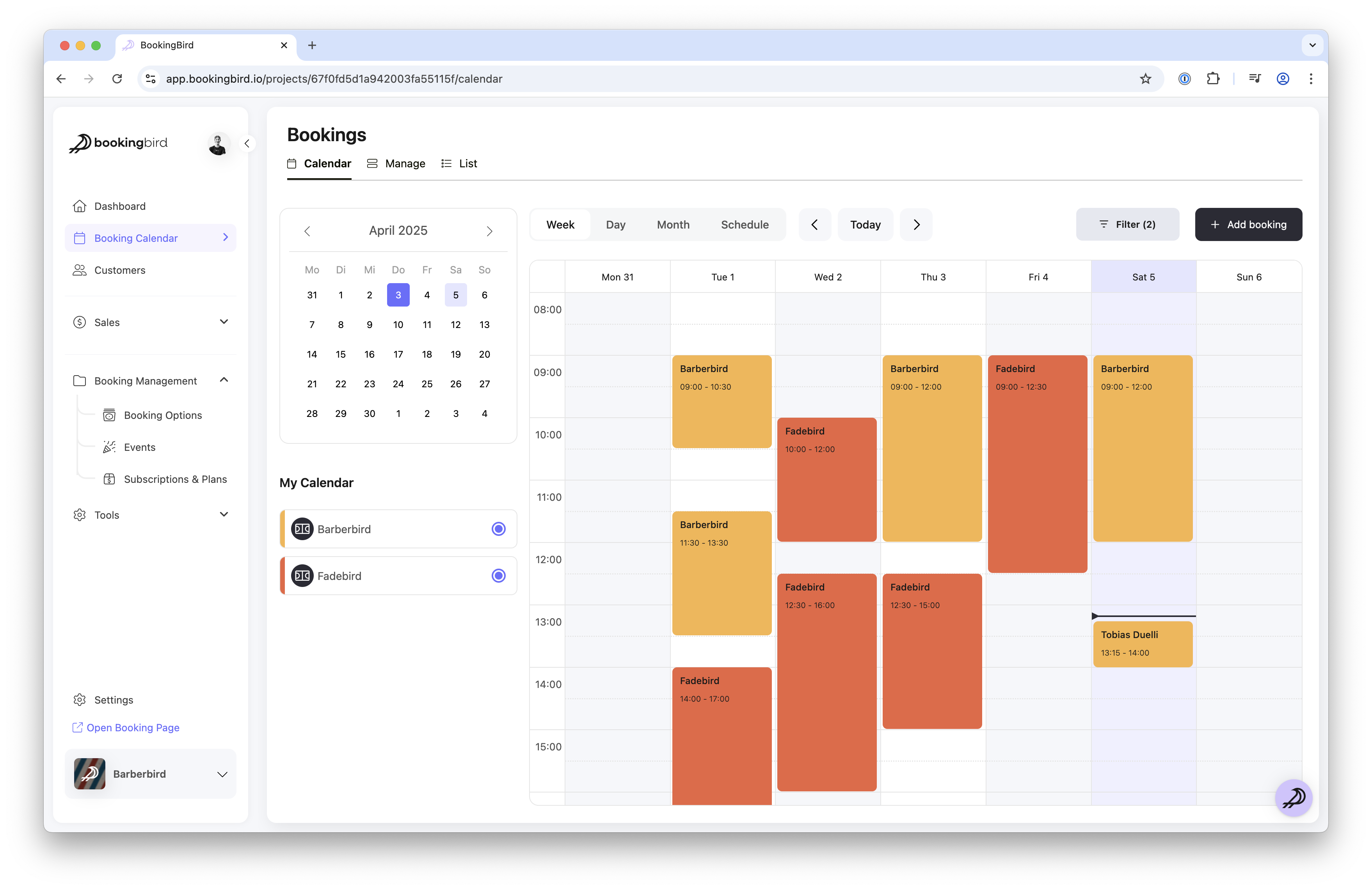
Regularly update staff schedules to ensure availability accuracy.
Use analytics to identify peak times and optimize staffing.
Customize automated reminders to reduce missed appointments and improve customer satisfaction.
Services Offered: Men's Haircut, Beard Trim, Styling
Duration: Fixed durations clearly communicated to customers (e.g., Haircut 30 minutes, Beard Trim 15 minutes).
Pricing: Standard rates, student discounts, and loyalty programs.
Resources Linked: Barber chairs, specific barbers or stylists.
Add-ons: Premium products, shampoos, or styling extras.
Now your service-first booking approach is ready to streamline your appointments. Check out other articles in our Help Center or contact our support team for additional assistance.
