Event-based booking is specifically designed for activities scheduled at fixed dates and times, ideal for concerts, festivals, workshops, webinars, or seminars. With Bookingbird, event organizers can effortlessly handle ticket sales, attendee management, and event logistics from a single intuitive interface.
Event-based booking focuses on activities with fixed start times and dates, typically involving ticket sales. This approach simplifies ticket management, attendee check-ins, and event scheduling.
Music concerts
Festivals and fairs
Workshops and seminars
Webinars and virtual events
Enter a prompt like: “Workshop with 3 ticket types, limited capacity, QR check-in, and digital tickets.”
The wizard will automatically configure:
Your event details
Ticket types and pricing
Add-ons
QR codes and check-in rules
Wallet integration
Automated delivery and reminders
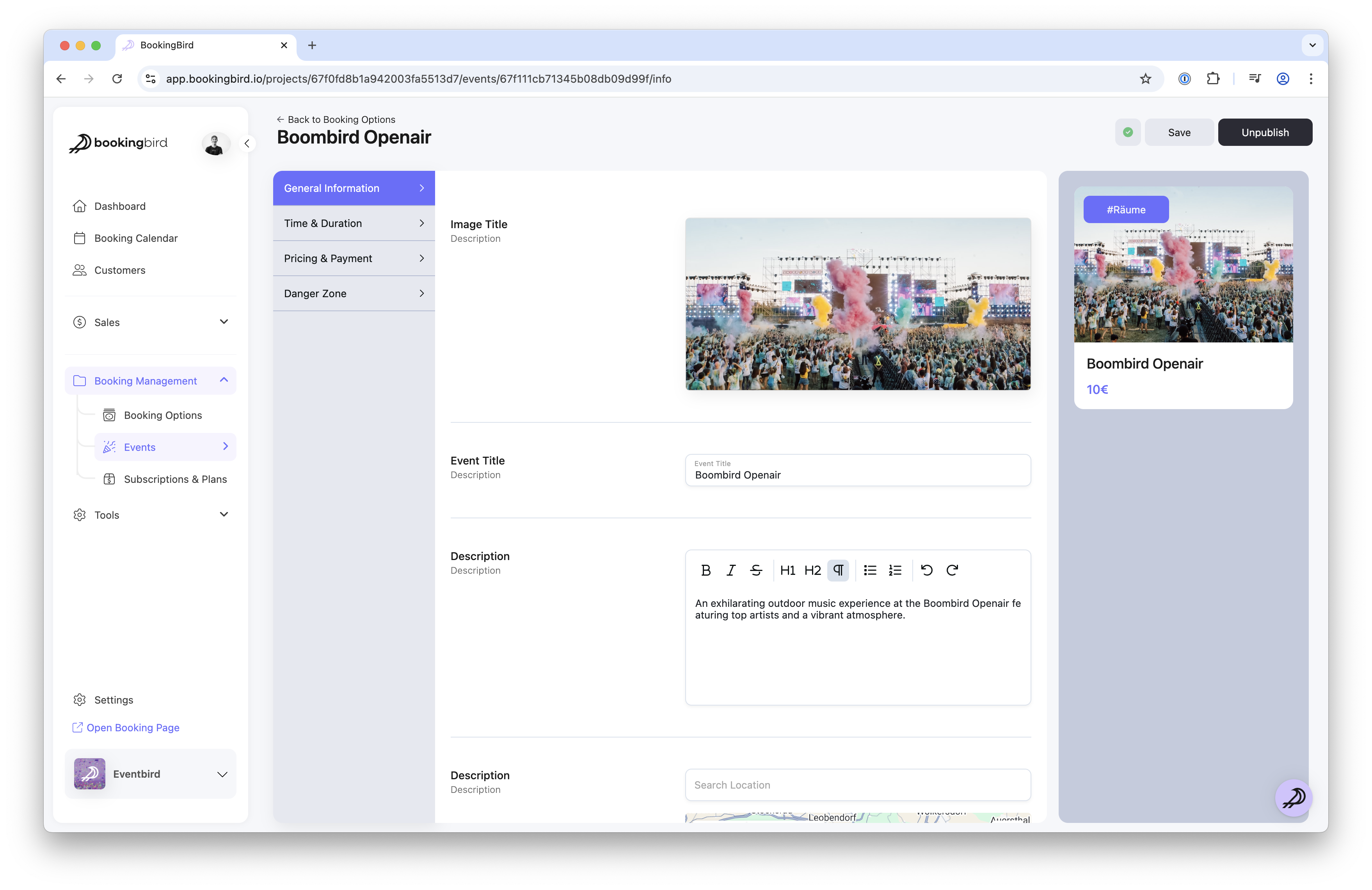
Go to the Events section in your dashboard
Click "Create Event"
Fill in core event details: name, description, date, time, and location
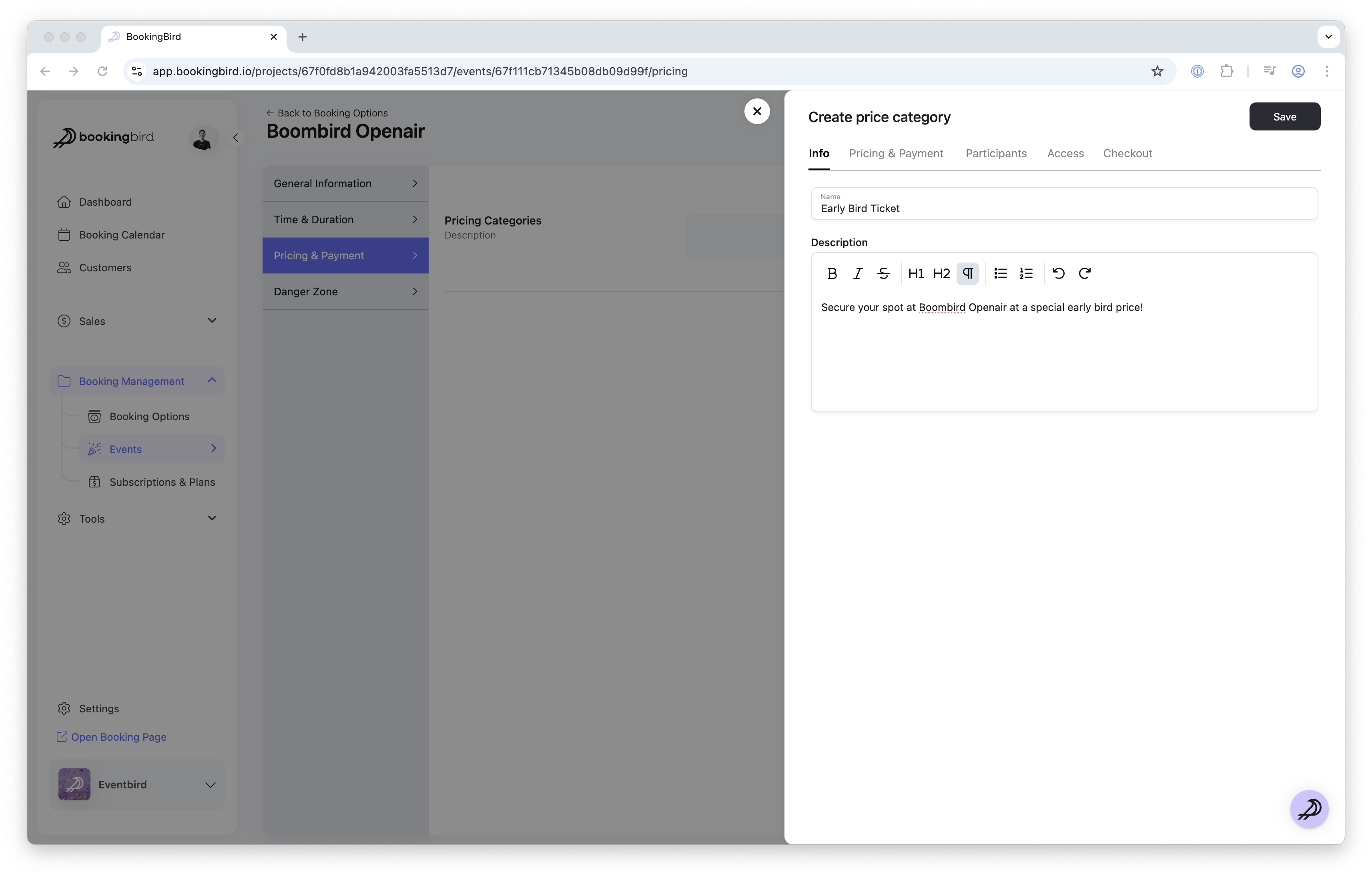
Define one or more ticket types (e.g., General Admission, VIP, Early Bird)
Set up pricing tiers, special discounts, and member-only rates
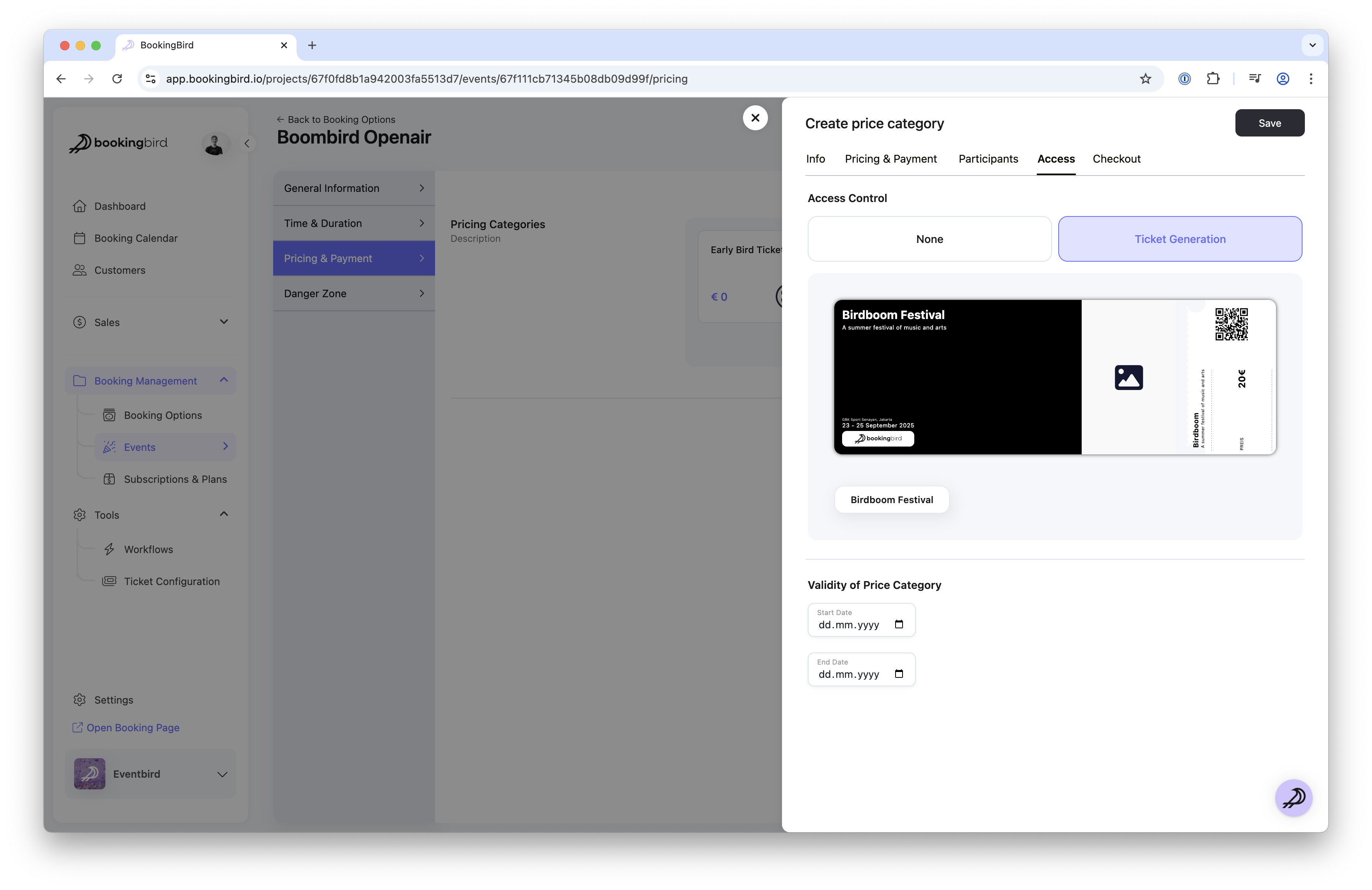
Customize ticket design for digital or print-at-home formats
Define the event duration and attendance capacity
Set up cancellation and refund policies
Enable automatic ticket delivery via email
Include Apple Wallet and Google Wallet integration
Generate secure QR codes for each ticket
Use the Bookingbird Check-in app to scan QR codes at the event
Monitor real-time attendance data in your dashboard
Clearly communicate your event details and policies on your booking page.
Use analytics to monitor ticket sales performance and attendee data.
Send automated reminders before your event to maximize attendance.
Leverage data from past events to optimize future event planning.
Event Name: Summer Music Fest 2024
Ticket Types: General Admission, VIP, Backstage Pass
Pricing: Tiered pricing (Early Bird, Regular, Last-minute)
Check-In Method: QR code scanning with Bookingbird's mobile app
Additional Features: Automated email reminders, wallet integration, and customized print-at-home tickets
With your event fully configured, you can now smoothly manage ticket sales and attendee entry. For further help, explore our additional Help Center resources or reach out directly to our support team. Enjoy seamless event management with Bookingbird!
